Create the album
Set the couple name, date, private guest code, and share-ready guest link.
One private album for the whole day
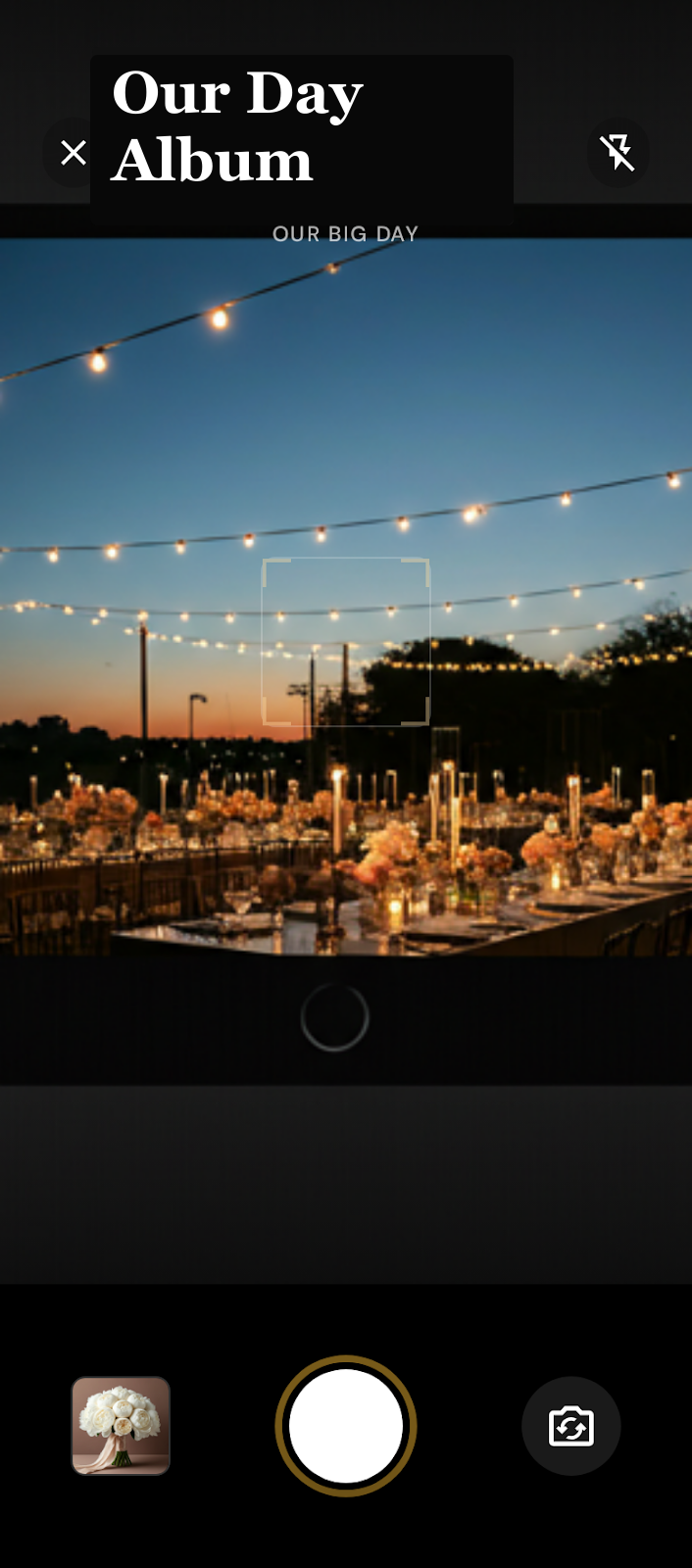
Guests scan a QR code and upload from their browser. No app, no guest accounts, no scattered camera rolls after the wedding.
From QR scan to wedding album
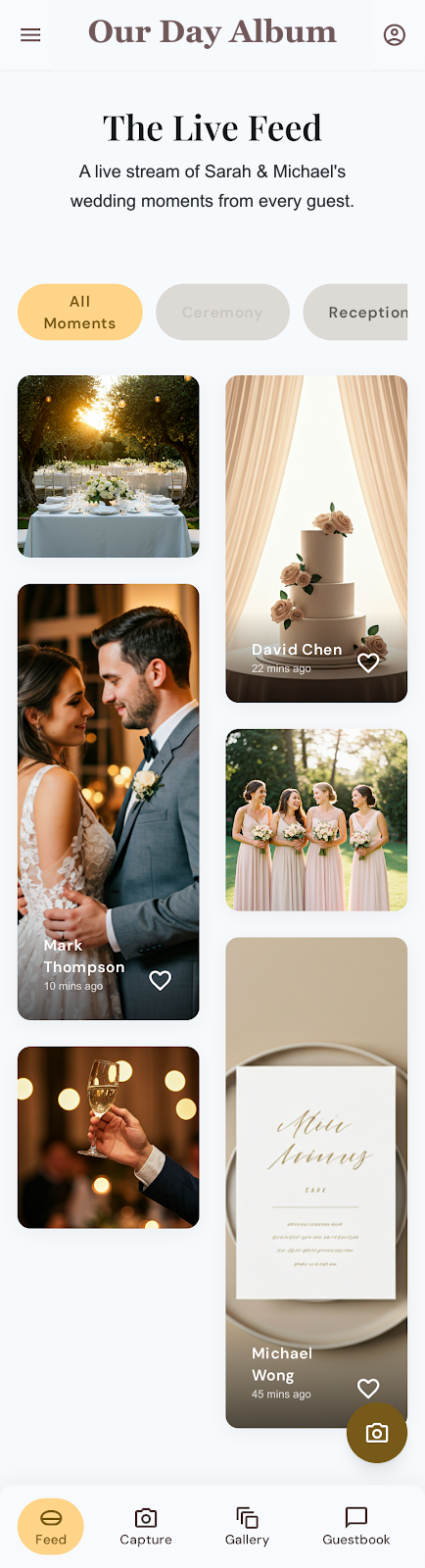
Guests scan the code at the bar, table, welcome sign, or program. The album opens in their phone browser so they can add photos, heart favorite moments, and sign the guestbook without another app getting in the way.
Set the couple name, date, private guest code, and share-ready guest link.
Use the QR handoff on signs, table cards, programs, or the welcome display.
They open the album in their phone browser and add photos, hearts, and guestbook notes.
Review the private gallery after the event and save the full photo collection.
What you keep afterward
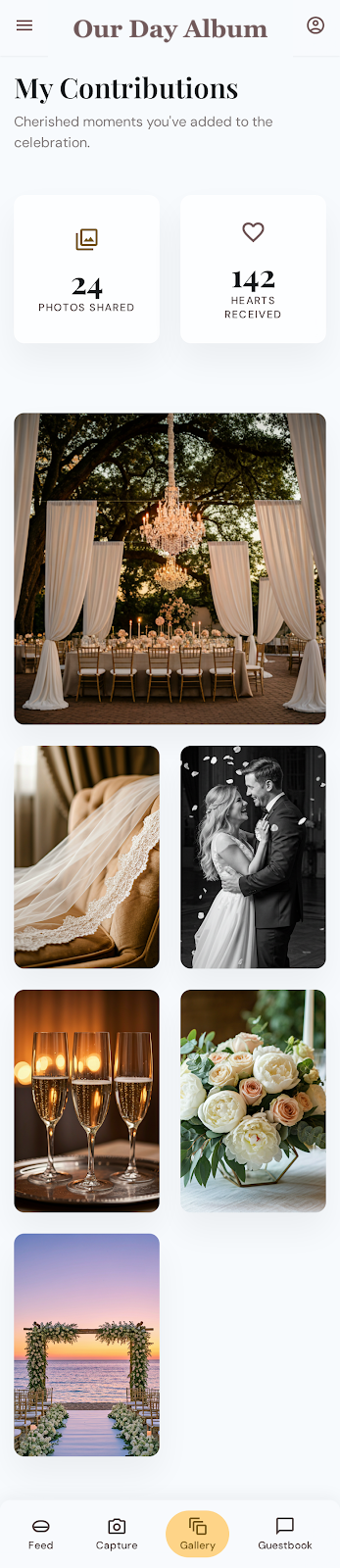
The best guest photos should not disappear into camera rolls and group chats. Our Day Album keeps the day together: photos, names, hearts, and guestbook notes in one private place.
After the last song
Your guests can add the candid moments they already captured, and you can keep the final gallery tidy before downloading the collection.
Simple for guests, controlled by you
Guests get a short path from scan to upload. Owners get a private gallery with the pieces that matter for a wedding day: access, moderation, checkout clarity, and download.
Guests need the private wedding code for the selected album. Public feeds and account invites stay out of the way.
Plan purchases use Stripe Checkout as a one-time wedding event payment, not a subscription.
Owners can review, hide, restore, and download the photo collection after the event.
Guests upload photos and guestbook notes from the browser without downloading an app or creating an account.
Why couples use it
Disposable cameras and shared albums can be charming, but they add delay, friction, and scattered memories. Our Day Album keeps the handoff simple from the first scan to the final download.
Disposable cameras
Fun on the tables, but expensive, delayed, and often blurry in reception lighting.
Guests upload the clear photos they already took on their phones.Shared albums
Guests can hit app, account, invite, or platform walls before they ever add a photo.
A QR code opens the wedding album in the browser with the private code.Hashtags and DMs
Photos scatter across stories, chats, camera rolls, and half-remembered posts.
Everything lands in one private gallery the owner can moderate and download.One-time pricing
Choose by photo capacity and how long you want the gallery available after the wedding.
$19
1,000 photos · 6 months
$39
3,000 photos · 2 years
$59
10,000 photos · 5 years
Ready to launch
Create the album, choose the private code, and get the guest QR handoff ready while the wedding details are still fresh.
Quick answers
No. Choose Essential, Keepsake, or Legacy for one wedding. Each plan is a one-time event purchase.
No. Guests scan the QR code, open the album in their phone browser, enter the private wedding code, and contribute.
Guests do not need to be invited into a Google, Apple, or social account. One QR code points them to the private wedding album.
Yes. Every plan includes unlimited guests, so friends and family can add photos and guestbook notes from the QR link.
Video uploads are not included right now. The current plans focus on photos, hearts, and guestbook notes.
Yes. Owners can download the wedding photo collection after the event so the memories are easy to save, share, and back up.
Guests can leave their name and a note for the couple, creating a written record alongside the shared photo gallery.
Built for the week of the wedding
Create the wedding, choose the private code, and have one simple link ready for friends and family.